
When it fires
Pick one of two triggers in When to show.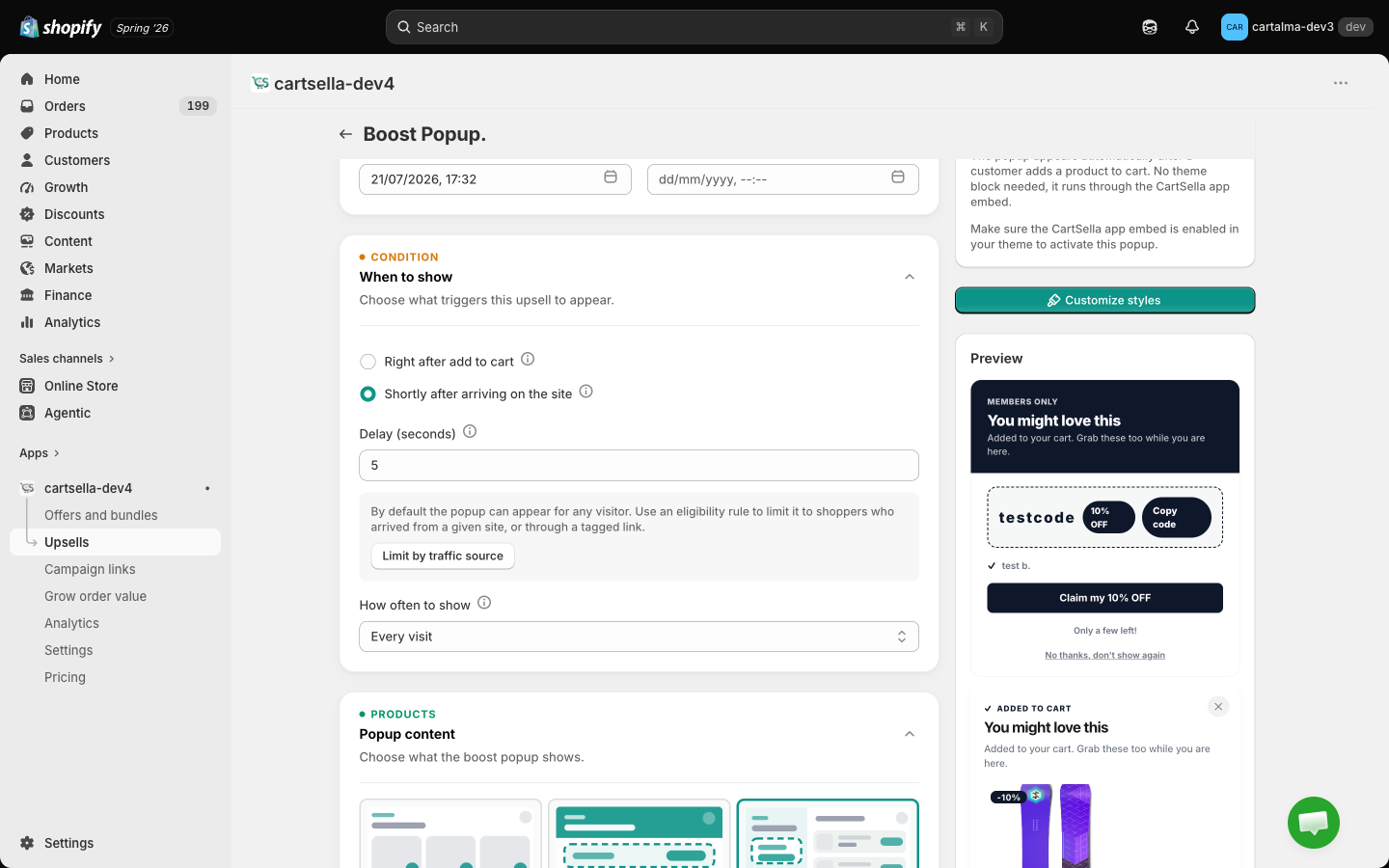
How often it comes back
How often to show controls repeat appearances for the same visitor:The popup always carries a decline link (“No thanks, don’t show again”). A shopper who clicks it never sees that popup again on that device, whatever How often to show says. That is deliberate: an escape hatch keeps the popup from becoming the reason someone leaves.
Limiting it by traffic source
A site-entry popup can appear for any visitor. To limit it to people arriving from a particular place, add a Traffic source eligibility rule. When the site-entry trigger is selected, the editor shows a Limit by traffic source shortcut that adds the rule and jumps you to it. Traffic source matches on where the shopper came from, either a referring domain or a pattern in the landing URL. A campaign parameter likeutm_source=instagram works as a landing URL pattern.
What it shows
The Popup content section is also the layout choice. There are three shapes and no separate template picker.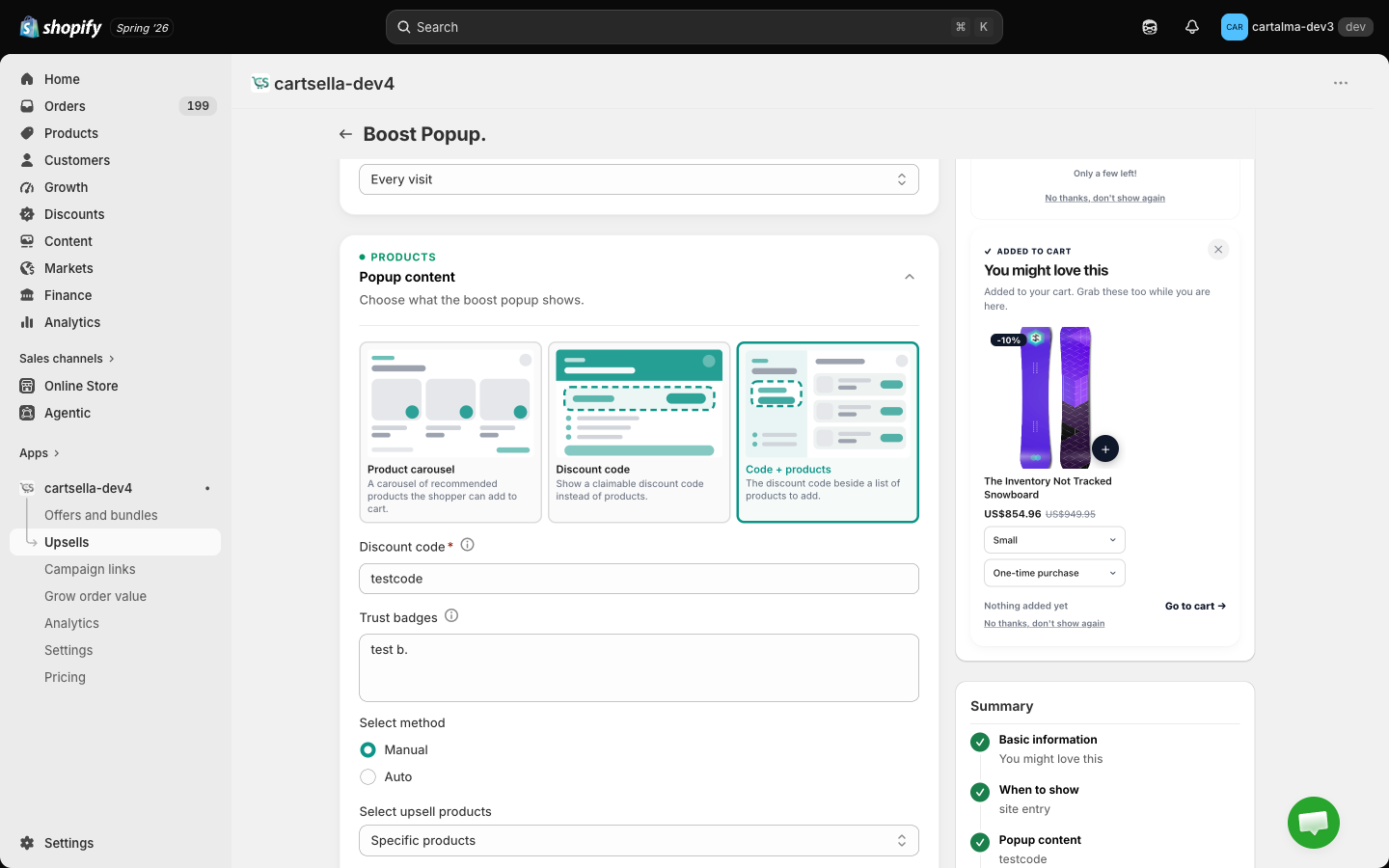
Discount code modes
When the mode includes a code you get two extra fields:- Discount code. The code shoppers see and claim. Create it first in Shopify Discounts, CartSella does not create it for you.
- Trust badges. One per line, shown under the Claim button. For example “Secure checkout” and “30-day returns”. Leave it empty to hide them.
Product modes
Same two methods as every other upsell:- Manual
- Auto
Hand-pick the products or variants.
Discount
The Boost popup is the only surface outside the post-purchase upsell where a discount reaches the shopper, and it does it by handing over a custom discount code you created in Shopify. That is what the code modes are built on, and it is what lets the popup show a crossed-out price honestly. A percentage or fixed-amount discount entered without a code is not enforced at checkout, so the popup shows those products at their normal price.Look and layout
Click Customize styles in the editor sidebar. The boost popup’s appearance stays with the upsell rather than living on the global Customize page, because it is your popup rather than a Shopify-controlled surface. Two boost popups can look completely different.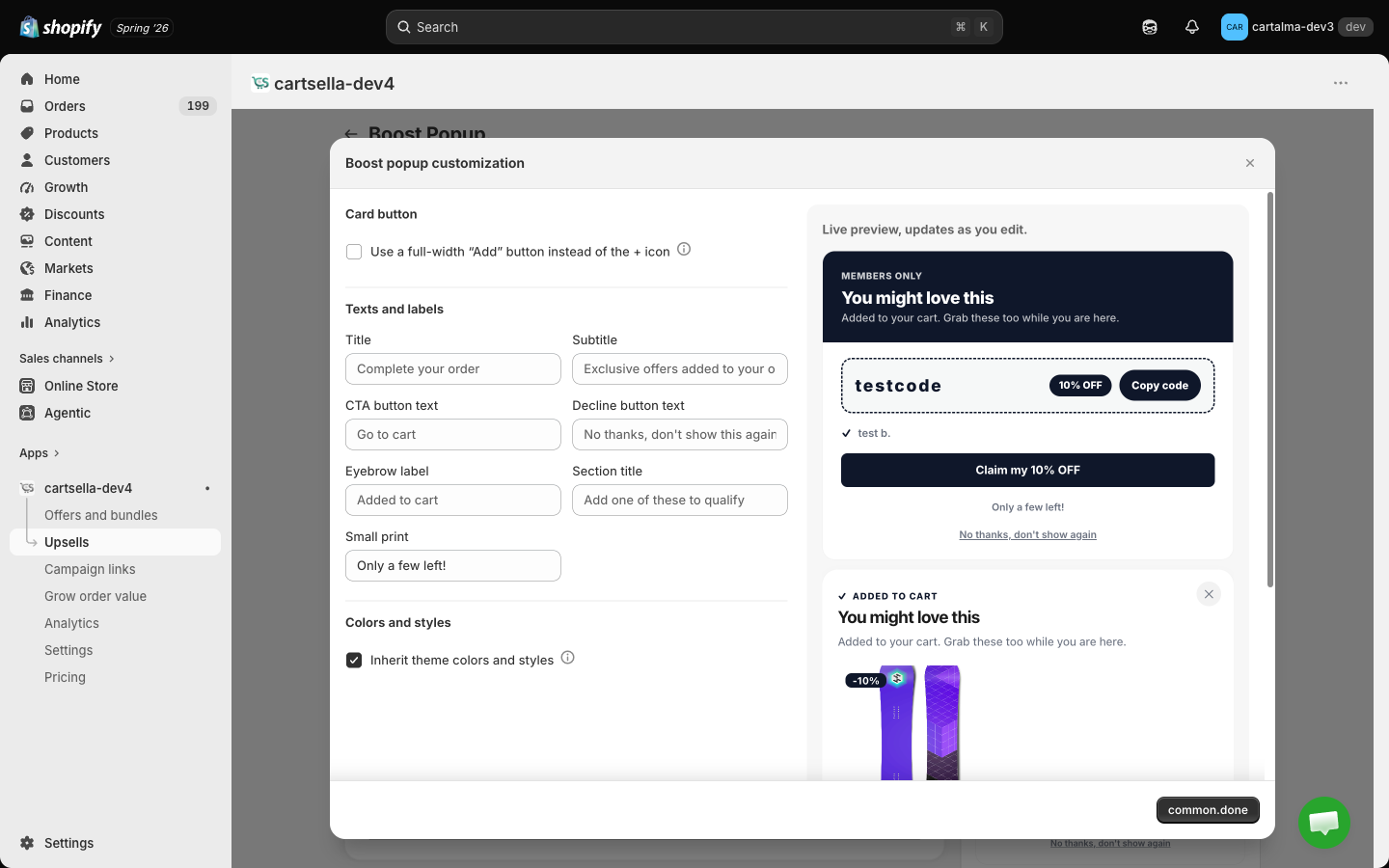
Colours inherit your theme until you untick Inherit theme colours. Then you can set the background, text, secondary text, accent, surface, button background and text, badge background and text, and border. The accent paints the eyebrow, the ”+” buttons, the code frame and the check marks.
A live preview sits beside the controls.
Eligibility and advanced
Eligibility & targeting: Traffic source, Customer tags, Customer location and Markets (the last only when your store has more than one market).Customer tag rules only filter shoppers who are logged in. A guest is never hidden by them, because there is no account to check. Location and market rules always apply.
- Priority, 1 to 10, default 5. Lower wins when two boost popups qualify at once. Only one popup opens at a time.
- Maximum uses, total and per customer. Off by default. See Advanced offer settings.
- Exclude products already in cart, with Match recommended product variants as a sub-option.
- Offer subscribe & save, adds a “Subscribe & save” toggle to any recommended product with a Shopify selling plan.
Set one up
1
Create it
Upsells → Create upsell → Boost Popup.
2
Name it
Fill in the storefront title and, optionally, dates.
3
Pick the trigger
Add to cart, or site entry with a delay. Then set how often it can reappear.
4
Choose the content
Product carousel, discount code, or both. Fill in the code and trust badges if you picked a code mode.
5
Customize the look
Click Customize styles in the sidebar, pick the card button, then adjust the copy and colours against the live preview.
6
Activate
Set the status to Active and save. There is no block to place.
7
Check the app embed
The popup runs through the CartSella app embed. If the embed is off in your published theme, nothing appears. See Storefront blocks.
Limits and gotchas
- Drafts never appear. Set the status to Active and save.
- If you are testing repeat behaviour, remember the popup remembers you. Use a fresh private window rather than reloading, or the frequency setting will keep it closed.
- A site-entry popup with a 3 to 5 second delay tends to outperform one that fires instantly. Give the page a moment to load.
- If you are promoting a code, make sure the code exists and is active in Shopify Discounts. CartSella displays it, Shopify honours it.
- Do not run a boost popup and a site-wide announcement bar with the same message. Pick one.
- Only upsells that are live right now count toward your plan’s active upsell cap. See Plans and billing.