How it works
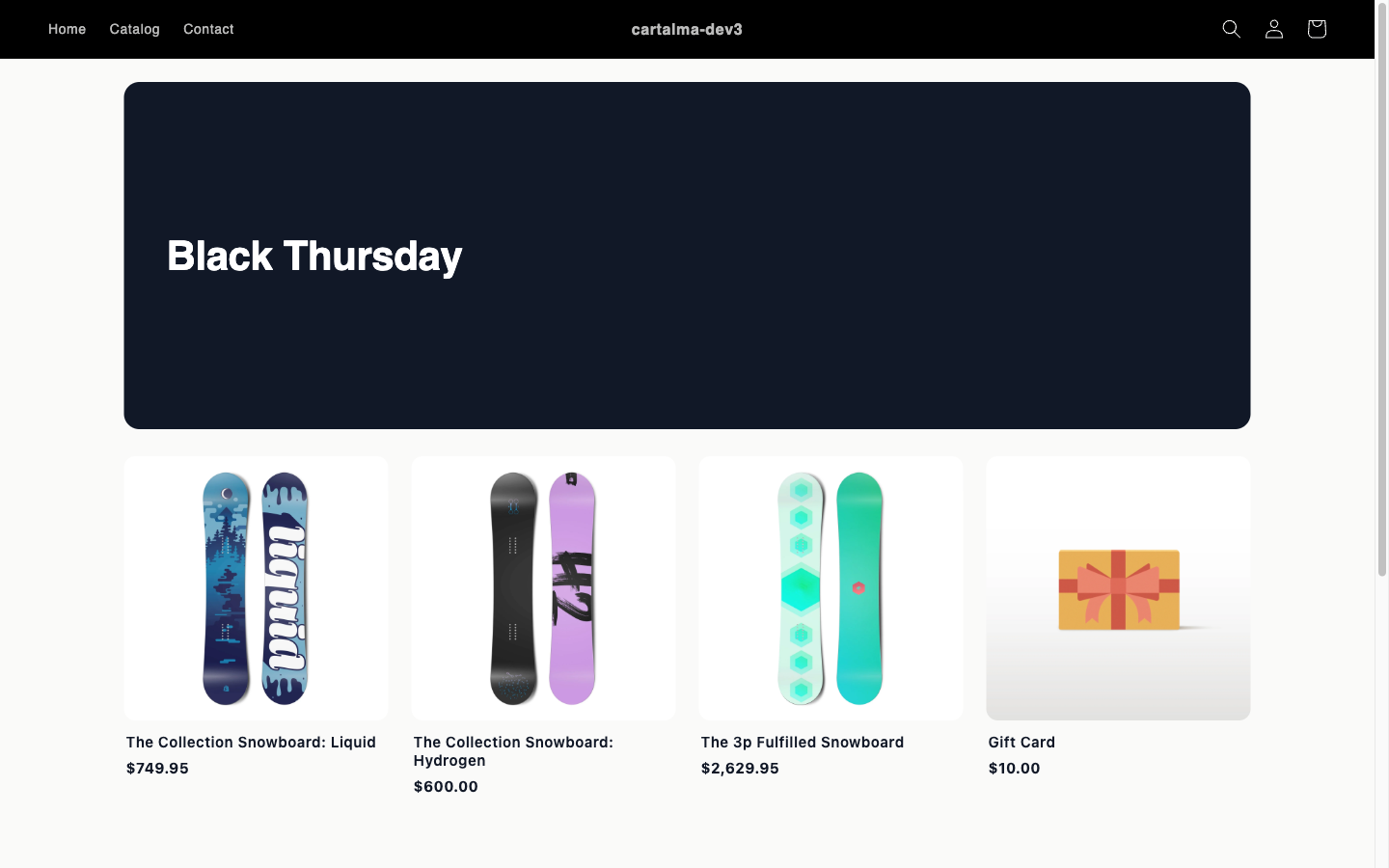
The page has two parts, the hero and the product grid. The hero button scrolls down to the grid, and each product card links through to that product’s own page. The discount comes from the offer you link to the campaign. The page itself never touches the cart and creates no discount of its own. When the shopper adds a qualifying product, your offer applies as it normally would. The page only goes live while its offer does. If the linked offer is a draft, paused, or outside its own schedule, the page shows “This sale is not available” instead of advertising a discount nobody would receive. The editor warns you before you publish, and it also warns when the offer discounts a different collection from the one on the page. The grid only lists products a shopper can actually buy. Draft, archived and unpublished products are left out rather than shown with a price and a link that 404s. A product whose every variant is out of stock is marked Sold out. Prices show the sale. When the linked offer is a straightforward percentage or fixed amount off with no eligibility rules attached, each card shows the sale price with the original struck through. With any other offer type, or when the offer carries rules the page cannot check, cards show the normal price — better than promising a discount the checkout might decline.Create a campaign
1
Start a new campaign
Cart settings, then Seasonal campaigns, then Create campaign.
2
Fill in the basics
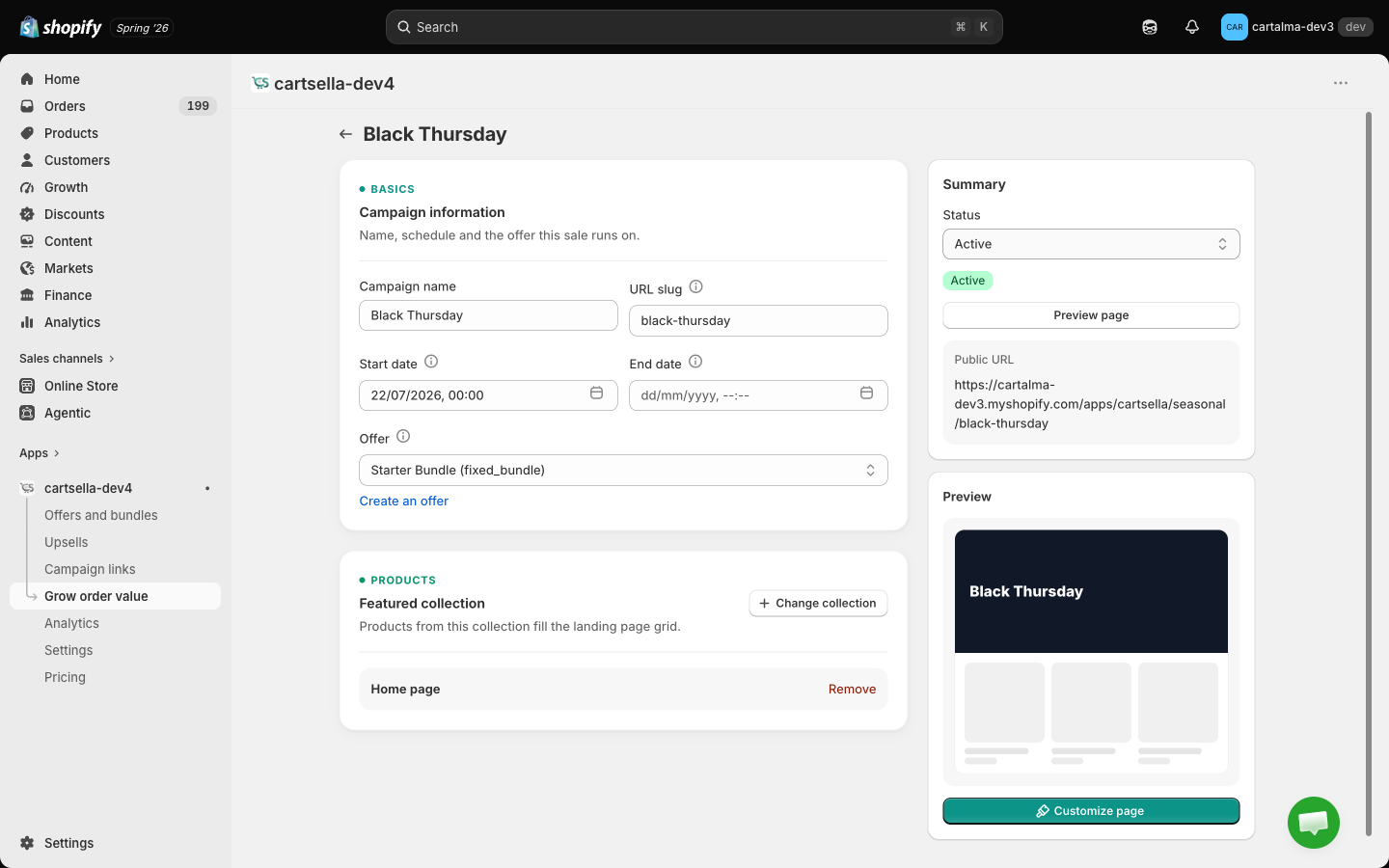
Campaign name and URL slug are both required. The slug is generated from the name until you edit it yourself.
3
Schedule it
Start date and End date are both optional. A blank start means it goes live immediately, a blank end means no expiry. The end date must be after the start date.
4
Pick the offer
Offer is required. This is where the discount comes from. If you have not created one yet, there is a link straight to the offer editor.
5
Pick the collection
Featured collection is required. Its products fill the grid. Use Select collection to open the picker, or Change collection to swap it later.
6
Design the hero
Click Customize page in the sidebar and set the layout, image and text. See below.
7
Publish
Set the status to Active and save, then use Preview page or copy the public URL.
The Customize page window
The sidebar shows a live preview of the hero and a Customize page button that opens the design settings.Hero banner
Colors
Inherit a neutral default palette is on by default. Turn it off to set your own Accent (button) color, Button text color, Text color (split layout) and Hero background (split layout). Each color field has a Reset link that clears it back to the default.The URL
The page is only visible while the campaign is Active and inside its schedule. Outside that, visitors see “This sale is not available”. Use Draft while you are still building it.
Manage campaigns
The list shows Campaign, Status, Schedule and Actions, with Preview, Edit and Delete on each row. Delete asks for confirmation and cannot be undone. Status is Draft, Active or Inactive.Campaign links or seasonal campaigns?
See Campaign links.
Tips
- Point the offer at the same collection you feature, so the grid and the discount line up.
- Keep the slug short and readable, for example
/seasonal/bf24. - Set the start and end dates ahead of time and leave the campaign Active. It goes live and retires on its own.
- Pair it with an announcement bar or a countdown timer elsewhere on your store to drive traffic to the page.