
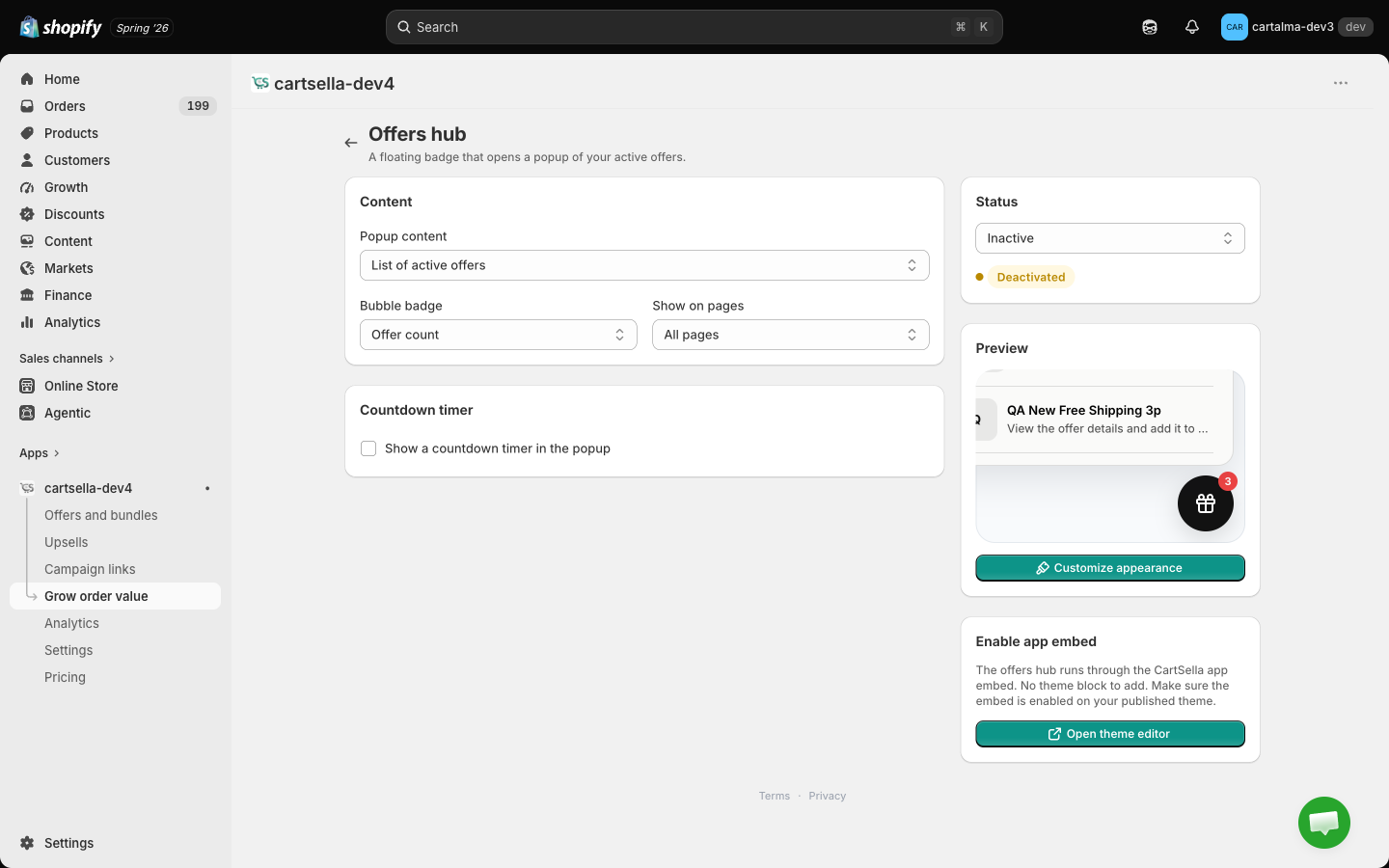
The offers hub has no theme block. It rides on the CartSella app embed, so it appears as soon as the embed is enabled on your published theme. See Storefront blocks.
Turning it on
The Status card in the sidebar is the switch: Active or Inactive. The badge next to it tells you at a glance whether the bubble is live right now.Popup content
One dropdown decides what shoppers see when they tap the bubble.- List of active offers
- Single featured offer
- Static content
Auto-lists everything currently running. No maintenance: activate an offer and it appears, deactivate it and it drops off.This is the right default for most stores.
Bubble and pages
Countdown
Turn on the timer and pick an end date and time to put a countdown inside the popup.Appearance
Click Customize appearance for the visual settings, with a live preview beside them.- Bubble position: top left, top right, bottom left, bottom right.
- Icon: Gift, Percent, Tag, Star, Lightning, or Custom (paste your own SVG).
- Popup style: Floating, which anchors near the bubble, or Modal, which centres over the page.
- Popup theme: Light or Dark.
- Match store theme colors, on by default. Turn it off to set the accent, bubble, popup background, popup text, card background and card border colours yourself.
The same colours are also reachable from the central Customize page, under the Spotlight popup surface. Both edit the same thing. The content, badge, pages and countdown live only here.
Tips
- Bottom right is where shoppers expect a floating control, and it is the least likely position to collide with a theme’s own chat widget.
- Do not run the offers hub and the floating bubble button in the same corner. Two floating bubbles fighting for the same spot looks broken.
- Static content mode is the fastest way to promote something CartSella does not model as an offer, like a competition or a shipping notice.
Related pages
Floating bubble button
A single button pointing at one destination.
Customize
The central styling page, including the spotlight popup surface.
Storefront blocks
Enabling the app embed the hub rides on.
Cart settings
Every tool in the Grow order value hub.