
Milestones
A bar holds up to five milestones. They are sorted by cart value automatically, so you never have to add them in order. Each milestone has: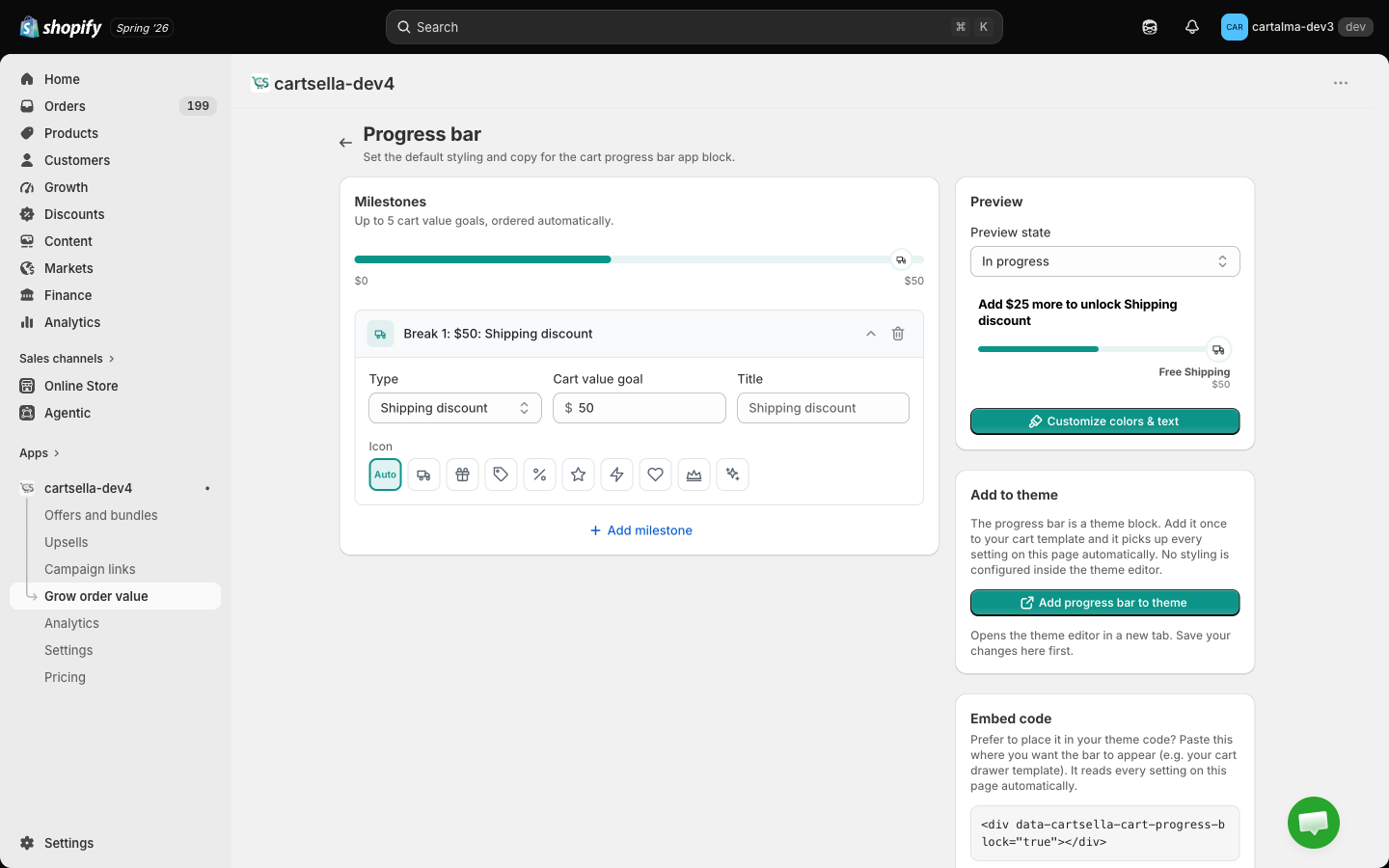
Preview
The preview panel on the right has a Preview state switch with three positions:- Empty cart
- In progress
- Goal reached
Colours and copy
Click Customize colors and text to open the appearance panel.Colour style
Six presets, shown as live swatches:
Also here: Bar height (8 to 20 px) and Show labels, which prints each milestone’s name and goal under its own marker on the bar. Markers are spaced evenly along the bar — one equal step per milestone, rather than in proportion to their cart values — so every label has the same room and long names are shortened to fit. The bar still fills up to a marker exactly when that milestone unlocks.
Messages
Two fields, and both accept placeholders:- Progress headline, shown while the shopper is still short of the next milestone.
- Success message, shown once they reach the last milestone. Leave it empty and the bar shows no message at all — every milestone label already reads Unlocked.
Placing it
Add the CartSella — Progress Bar block to your cart template. Click Add progress bar to theme on this page and the theme editor opens with the block already placed, so all that is left is Save. The block itself carries almost nothing: bar height, show labels, title font size and spacing. Every milestone, colour and message comes from this page, which is why the same bar looks identical wherever you put it.Using a cart drawer that the block cannot reach, or want the bar somewhere unusual? The page also gives you an Embed code snippet to paste directly into your theme. It reads every setting on this page the same way the block does, and needs the CartSella app embed enabled.
Tips
- Two milestones is the sweet spot. Free shipping first, then something aspirational. Five milestones turns a nudge into a spreadsheet.
- Put your first milestone slightly above your average order value, not far above it.
- Check the bar on a phone. Five milestone labels that fit on a desktop cart collapse into mush on mobile.
Related pages
Shipping discounts
Create the free shipping the bar is counting toward.
Gift with purchase
Create the gift a milestone unlocks.
Storefront blocks
Where the Progress Bar block goes in your theme.
Cart settings
Every tool in the Grow order value hub.