Set one up
1
Create the offer
Offers, then Create offer, then Gifts and shipping, then Shipping discount. Two starting templates: Free shipping threshold (“Free shipping over $50”) and Quantity-based shipping (“Buy 2 items, 50% off shipping”).
2
Name it
Shipping discounts have a single Title and it is internal only. Shoppers never see it. What they read on the product page comes from Shipping message further down.
3
Choose the condition
Customer buys products or Customer spends a minimum amount.
4
Set the reward
Discount type percentage or fixed amount, then Discount value. 100% is free shipping.
5
Show it on the product page
Copy the offer ID, add the CartSella — Offers block to your product template and paste the ID in.
6
Activate it
Set the status to Active and save.
The condition
Condition type has two choices.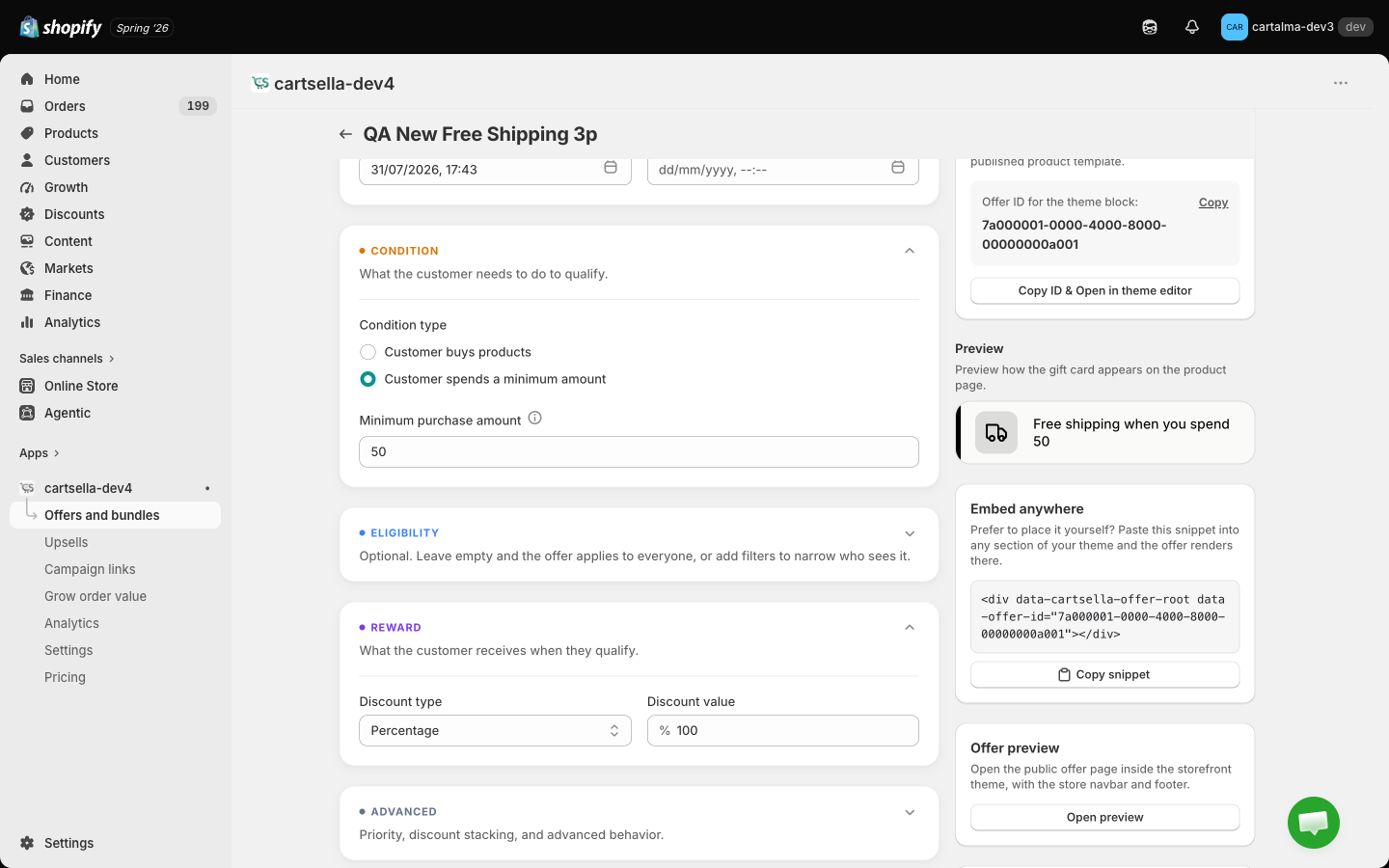
Any of these products, or all of them
On a product condition, open More options to change How the products count:- Any of these products: everything you selected feeds one shared count, so two of product A plus one of product B is three qualifying units. This is the default.
- All of them, bought together: the list turns into one row per product, each with its own minimum quantity, and every row must be satisfied before the discount applies.
A shipping discount is a plain gate. It either applies or it does not. There is no multiplier, so spending twice the threshold does not double the discount.
The reward
Choose Percentage or Fixed amount and enter the value.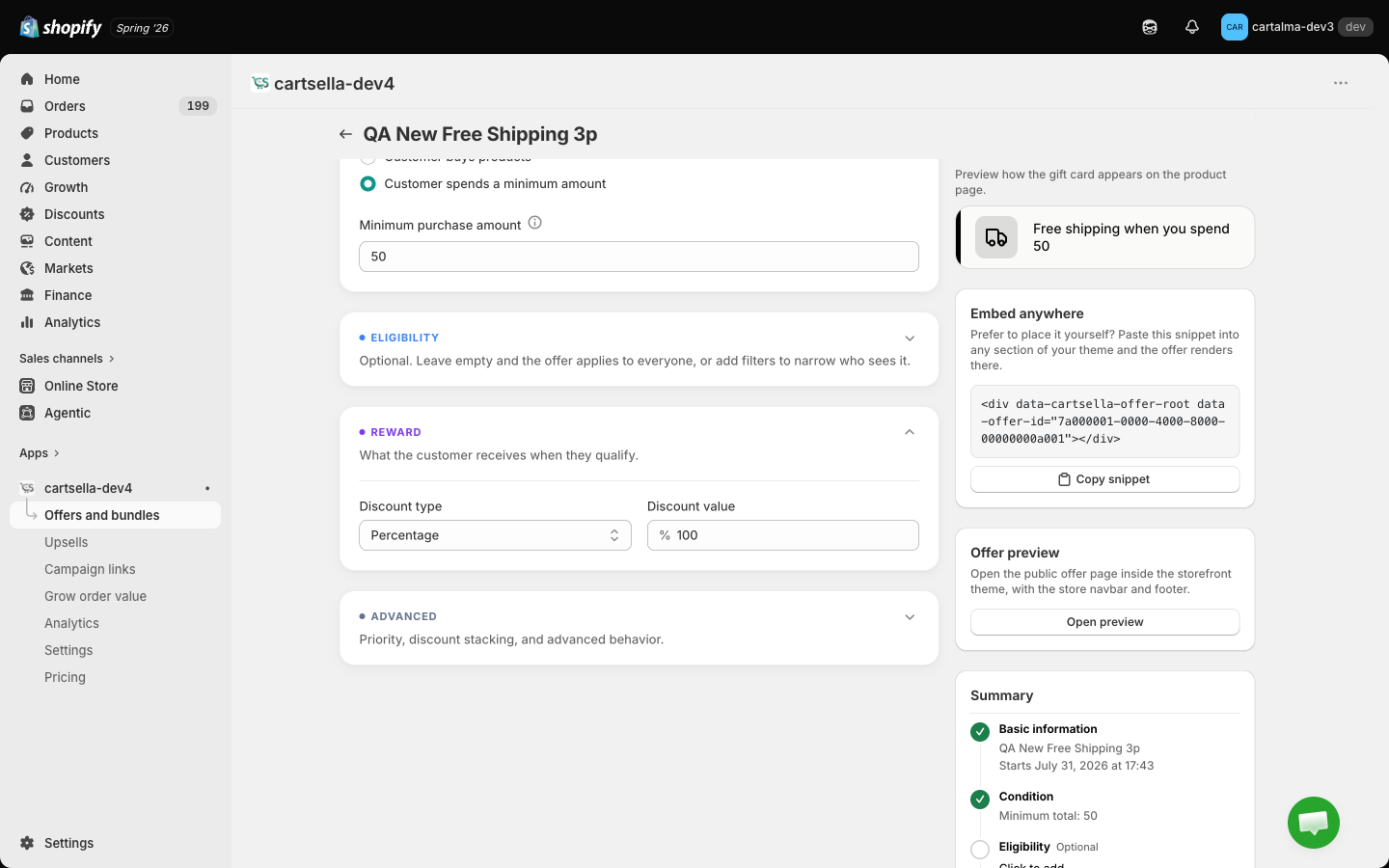
Product page display
Shipping message is the single line the storefront card shows. Leave it blank and CartSella writes the line for you from the condition and the reward, for example “Free shipping when you spend 50”. A live preview of the card sits beside the field.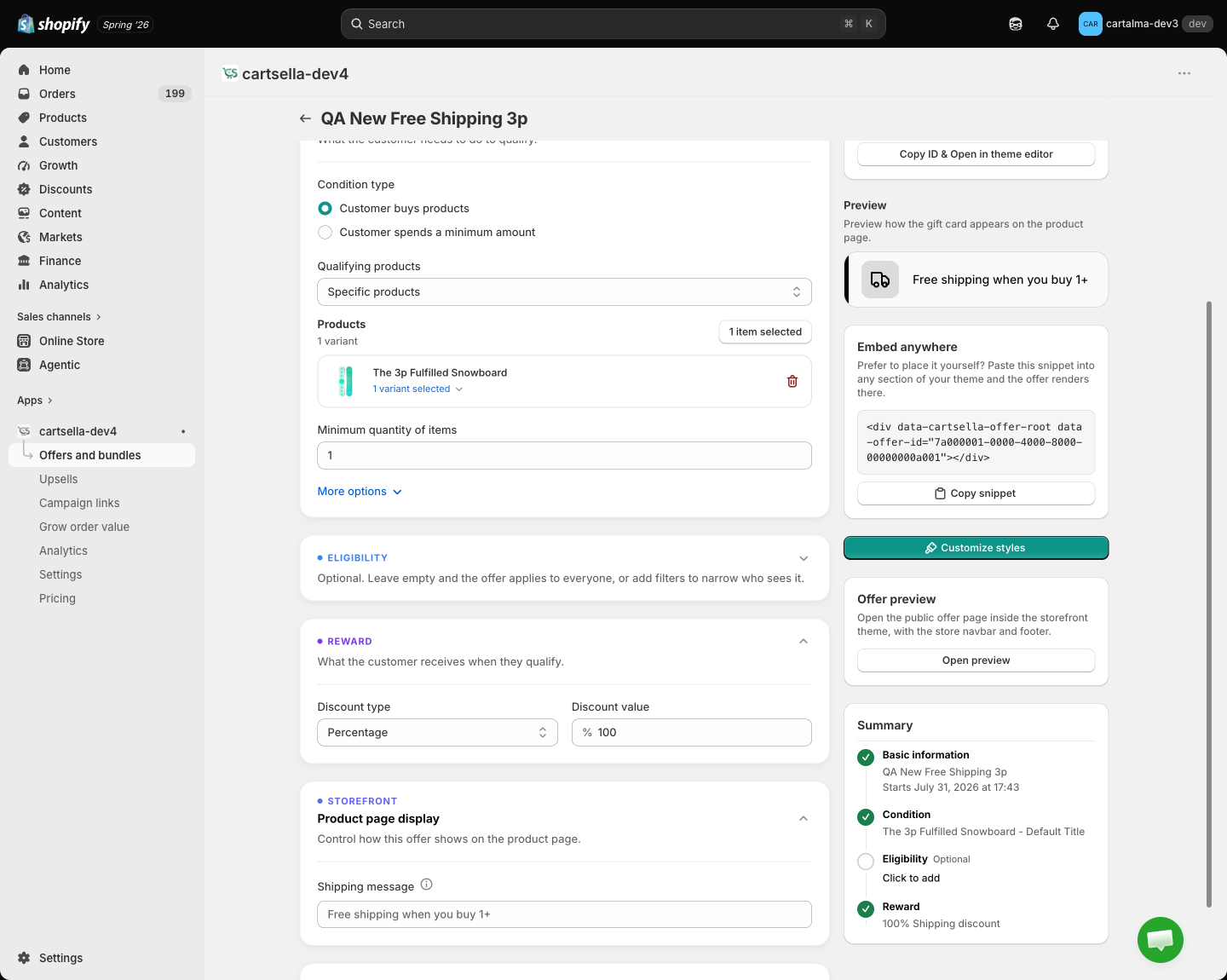
This section only appears when the condition is a product condition. A shipping discount driven by a cart total has no particular product page to attach wording to, so its card always writes its own line.

Show progress toward the threshold
The CartSella — Progress bar block tracks a shipping discount or a gift offer and tells the shopper how much more they need to spend. Set it up under Cart settings, see Cart settings.Eligibility
In Eligibility and targeting a shipping discount accepts purchase type, customers’ order history, customer tags, customer location, markets, cart total, item count and products in cart. Two rules are deliberately missing:- Traffic source is not offered, because the discount is applied at checkout, where a browser signal such as the referring site cannot be read. Offering it would promise a gate that nothing enforces.
- Cart weight is only offered on gift offers, for the same reason.
Tiered free shipping
There is no single offer that gives 50% off shipping at 50 and free shipping at 100. Create one offer per threshold and use Priority in Advanced options so the better one wins when both qualify. Priority 1 beats priority 10.Tips
- Set the threshold above your average order value, but close enough that shoppers will add one more item to reach it.
- Check the threshold still covers your real shipping cost everywhere you ship. Add a Customer location or Markets rule if it only makes sense in some countries.
- Free shipping pairs well with a gift offer. A shopper can qualify for both on the same order.