Set one up
1
Create the offer
Offers, then Create offer, then Discounts, then Cheapest-item discount. Two starting templates: Buy 2, cheapest free and Buy 3, discount cheapest (which sets 50%).
2
Name it
Title customers see is the heading on the storefront card and is required. Internal name is private and copies it when left blank.
3
Choose the eligible products
In Eligible products, pick products, variants, collections, vendors or product types. Only these count toward the quantity, and only these can be discounted.
4
Set the quantity rules
Eligibility quantity is how many eligible items unlock the offer, minimum 2. Free items is how many of them are discounted.
5
Decide how much comes off
Discount type and Discount value. 100% makes the item free.
6
Show it and activate
Copy the offer ID into a CartSella — Offers block, set the status to Active, and save.
Eligible products
The selector mixes collections, products and variants in one selection, and filters by vendor or product type. Tick the exclude option to invert it.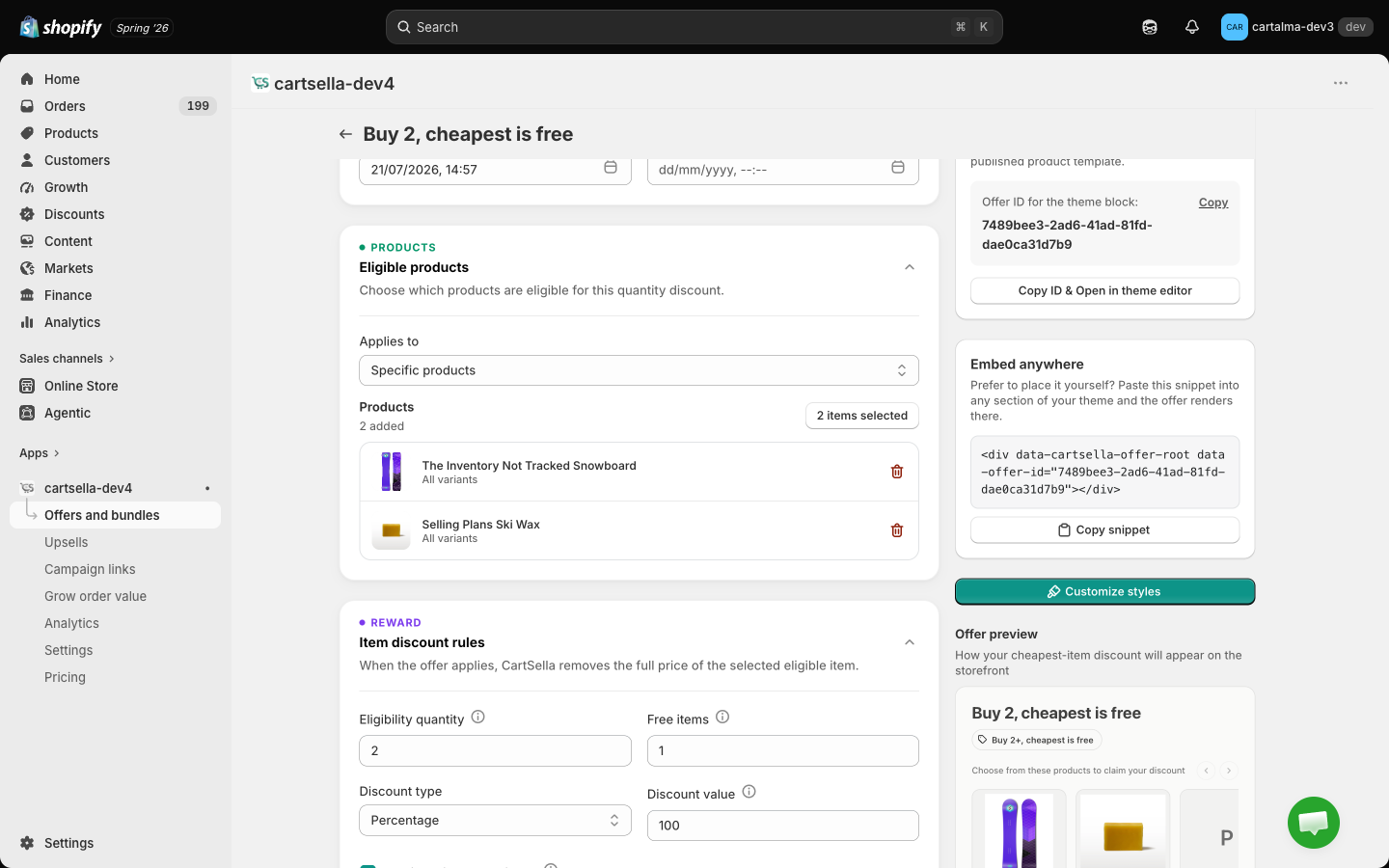
The quantity rules
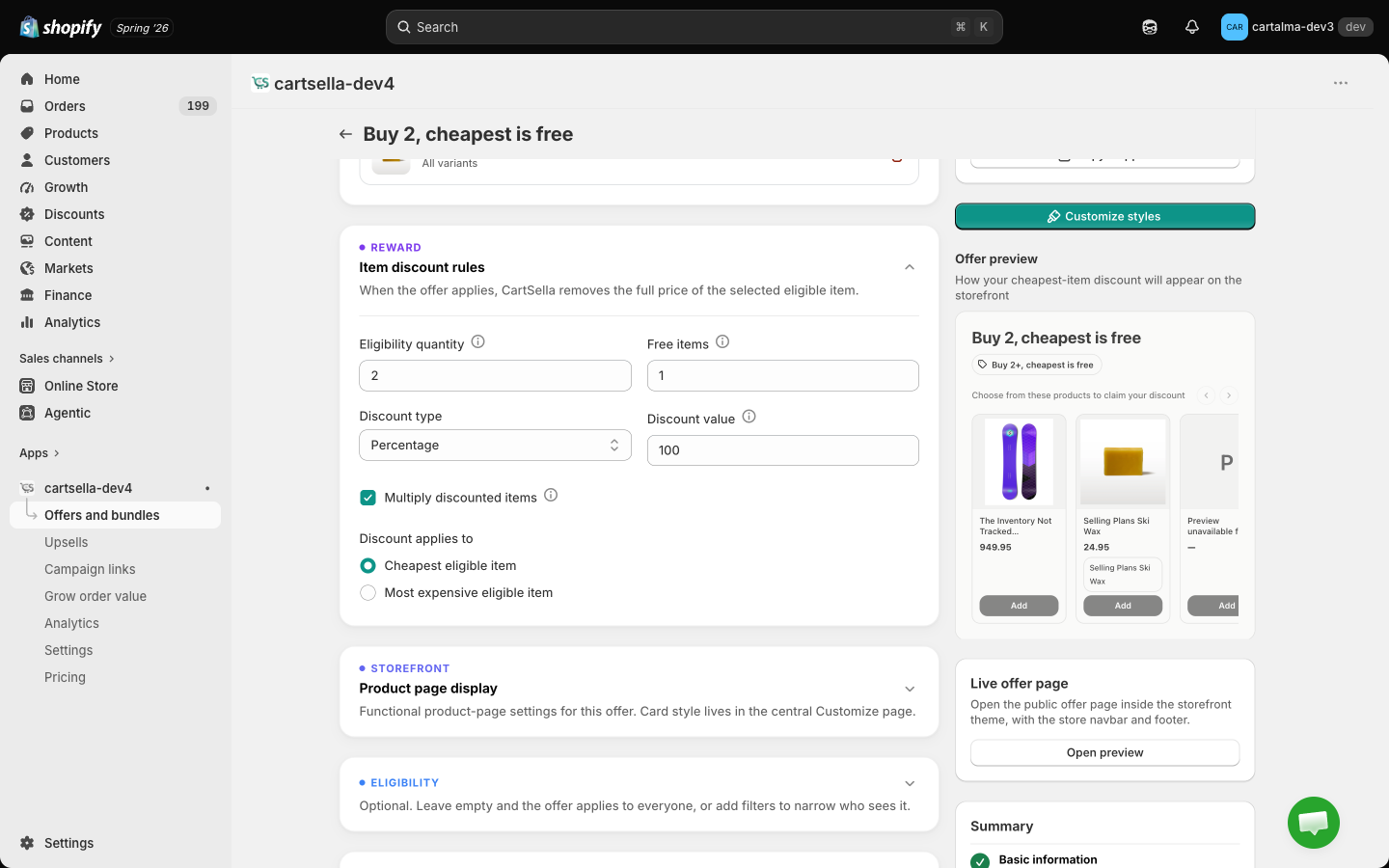
Multiply discounted items
Multiply discounted items decides what happens past one set.- On: free items multiply by completed sets. Buy 3 for 1 free, buy 6 for 2 free, buy 9 for 3 free.
- Off: the shopper gets one set’s worth of discounted items no matter how many they buy.
Cheapest or most expensive
Discount applies to is normally Cheapest eligible item. Switch it to Most expensive eligible item when you want the promotion to feel generous on a premium range, and price the offer accordingly.How much comes off
Discount type and Discount value decide what the selected item ends up costing.Product page display
Paste the offer ID into a CartSella — Offers block on your product template. The card renders a carousel of the eligible products with a progress bar, a live prompt line (“Add 2 more to unlock your discount”), variant pickers on each card, and a running total with an Add to cart button, so the shopper can assemble the qualifying set without leaving the page.
The Product page display section holds a single Header text field. The storefront card writes its own live prompt line above the products, which changes as the cart fills, so it does not currently render this header. Leave it blank unless you are told otherwise.
Advanced
On top of the usual Priority, Maximum uses and Combinations, Advanced options adds one setting for this type: Offer subscribe & save, which shows a subscribe toggle alongside the products so the shopper can turn the same selection into a subscription. See Advanced settings.Eligibility
Eligibility and targeting accepts purchase type, traffic source, customers’ order history, customer tags, customer location, markets, cart total, item count and products in cart. Every rule you add has to pass. Full detail in Advanced settings.Examples
Tips
- It works well for clearance, because the higher-priced items in the set still sell at full price.
- Two eligible items at very different prices means the shopper is rewarded for adding the cheap one. Group items of similar value if that bothers you.
- Pair it with the boost popup so shoppers who are one item short get reminded.