Trigger types
In the Condition section you pick one Condition type. There are three.Customer buys products
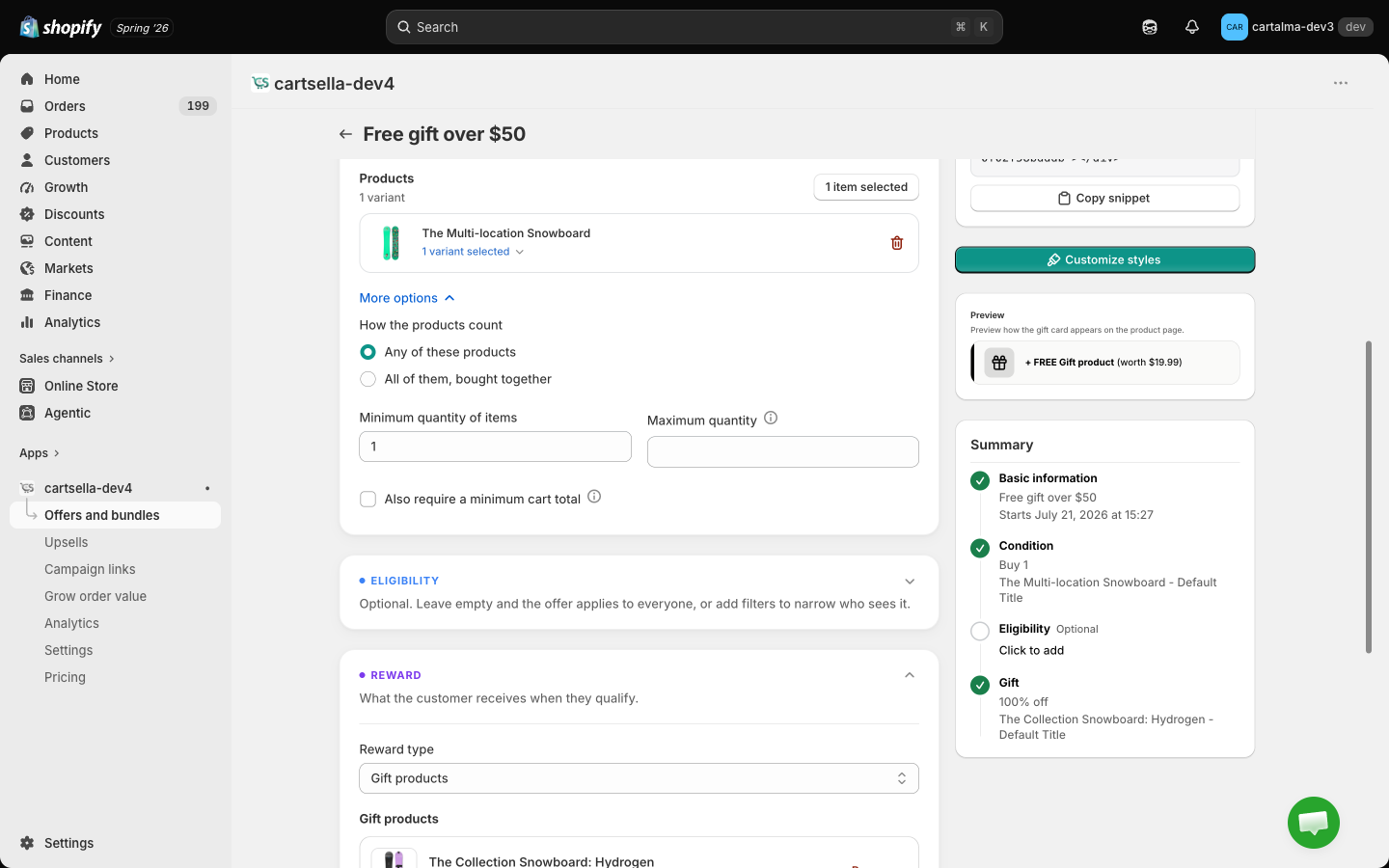
The Applies to selector controls which products count. You can mix collections, products and variants in one selection, and filter by vendor or product type. Tick the exclude option to invert it: everything in the cart except your selection qualifies. Minimum quantity of items is how many qualifying units the shopper needs. Maximum quantity is optional, leave it blank for no upper limit. It is not a cap, it is a disqualifier: once the cart goes above the maximum the offer stops applying and no gift is given.Free lines, gift lines and this offer’s own reward lines never count toward a condition. A gift can never qualify the shopper for another gift from the same offer.
Customer spends a minimum amount
The amount compared is the cart total after discounts, before shipping and taxes. Free and gift lines are not counted. Under More options you also get Minimum items in cart and Maximum items in cart, extra requirements on top of the amount. Leave them blank to ignore them.Customer spends a minimum subscription amount
Same as above, except only subscription lines count toward the total.Combining several triggers in one offer
Under More options in the qualifying products block there is How the products count, with two settings.- Any of these products
- All of them, bought together
Every product you selected feeds one shared count. Two of product A plus one of product B is three qualifying units. This is the default and the common case.
How many gifts are given
Gift quantity in the Reward section is your “buy X, get Y”. It can be 1 or more. The final number is that value multiplied by how many complete sets the cart contains.1
Count the complete sets
For each product condition, divide the qualifying quantity in the cart by that condition’s minimum quantity and round down. Six units against a minimum of three is two complete sets.
2
Take the lowest set count
If the offer uses “All of them, bought together”, each product produces its own set count and the lowest one wins. It is never the sum. Six of product A and two of product B, both with a minimum of two, is three sets and one set, so the offer counts as one set.
3
Multiply by the gift quantity
Two complete sets with a gift quantity of 1 is two gift units. One complete set with a gift quantity of 2 is two gift units.
4
Apply the limits
The result is then capped, narrowest limit first. See Limits and safeguards.
Cart total conditions do not multiply by default
A cart total condition gives one reward, once, no matter how far above the threshold the shopper spends. To change that, open More options under the amount field and tick Repeat the gift for every multiple of this amount. With a 100 gives 1 gift, 300 gives 3. This is the only place in a gift offer where a money amount scales the reward.Gates versus multipliers
This is the distinction that trips merchants up most often. A multiplier increases the number of gifts. A gate only says yes or no.How gifts appear in the cart
Gift lines are managed for the shopper, not by them. The cart is reconciled continuously: adding qualifying products adds the gift, removing them takes it back out, and a shopper cannot delete a gift line or change its quantity by hand.
One qualifying product in the cart
One qualifying product in the cart
One gift line, holding the full quantity. Two units of the gift appear as a single line with quantity 2. This is the common case.
Two or more different qualifying products in the cart
Two or more different qualifying products in the cart
The total number of gifts does not change. It is spread round robin across the qualifying products that are present, and each share lands on its own cart line, positioned next to the product that earned it.Three gifts earned by two different qualifying products become two gift lines: two units against the first product and one against the second. Splitting them this way is what lets each gift sit beside its trigger in the cart, rather than pooling into one anonymous line at the bottom.
A qualifying product leaves the cart
A qualifying product leaves the cart
The gift line that product earned is removed with it, and the remaining gifts are recalculated from what is left.
Limits and safeguards
The gift total is capped, narrowest limit first.1
Your offer's own cap
In Advanced options, Gift quantity limit has two settings. Per trigger means no fixed cap and the multiplier runs freely. Cap by fixed units reveals Maximum gift units, a hard ceiling for that one offer.
2
Your shop's per-order cap
Settings → Discount alerts → Maximum gift units per order. It defaults to 5 and accepts 1 to 50. It applies to every gift offer in your shop, whatever the individual offers say.
3
A built-in absolute ceiling
No single offer can ever put more than 25 free gift units into one cart, whatever the configuration says. This is a safety net against a runaway setup, not a setting.
Out of stock gifts
If a gift product runs out of stock, CartSella switches the offer off on its own and says so on the offer page: “A product this offer needs went out of stock, so it was switched off automatically. It resumes on its own once stock is back.” You do not need to turn it back on yourself. The editor also flags it while you are working: a gift variant with no stock shows an Out of stock note on its card in the Reward section, and a banner at the top of the editor. If a gift is unavailable at the moment the shopper’s cart is built, the qualifying products are still added. The shopper never loses their own items because a gift could not be fetched.Worked examples
All examples below use a single gift product with Gift quantity set to 1, unless stated otherwise.Buy 3 of a product, also require $200 in the cart
Two different qualifying products, minimum quantity 1 each
”All of them, bought together” with Gift quantity 2
The set is product A and product B, each with a minimum quantity of 1.Cart total condition, threshold $100
Related
- Gift with purchase, the introduction to this offer type
- Offers overview, how offer types compare
- Advanced settings, priority, stacking and usage limits
- Theme blocks, where offers appear in your theme
- Troubleshooting, when a gift is not appearing