
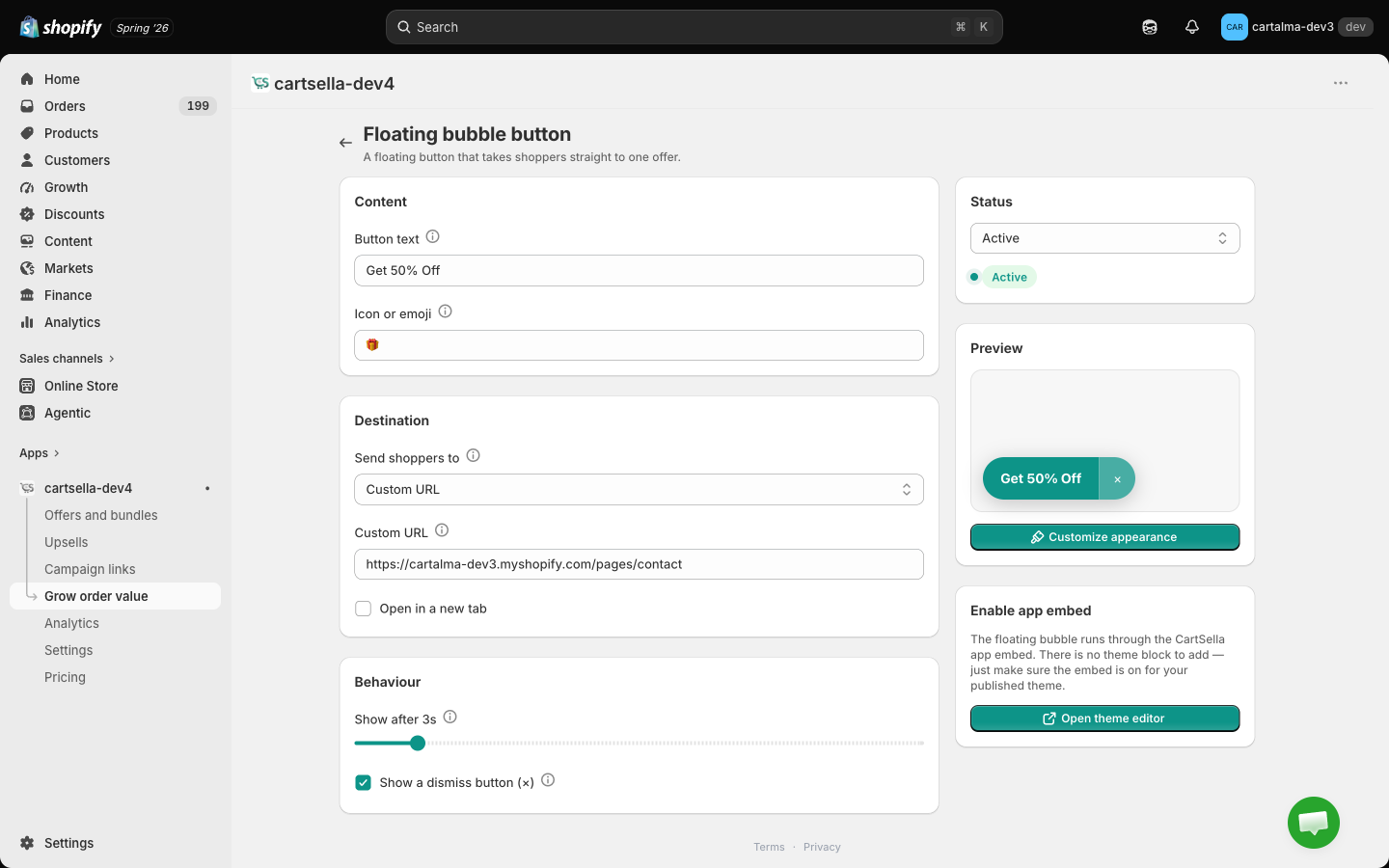
Like the offers hub, this has no theme block. It runs through the CartSella app embed, so enabling the embed is all the theme work there is. See Storefront blocks.
Content
- Button text. Two to four words fit the bubble. Longer text gets clipped.
- Icon or emoji. Sits to the left of the text. Leave it blank for text only.
Destination
Pick where Send shoppers to points:- Offer page
- Funnel / bundle page
- Custom URL
Pick from a dropdown of your active offers. Use it for gift, shipping and product discounts.
Behaviour
- Show after, 0 to 30 seconds.
0shows the bubble immediately; a few seconds’ delay makes it feel like a suggestion rather than an interruption. - Show a dismiss button (×). Dismissing hides the bubble for the rest of that shopper’s session.
Appearance
Under Customize appearance:- Position: top left, top centre, top right, bottom left, bottom centre, bottom right.
- Background and Text colours.
Status
The Status card in the sidebar switches the bubble between Active and Inactive, with a badge showing which it is right now.Tips
- One destination means one message. If you find yourself wanting to link to three things, use the offers hub instead.
- A three to five second delay usually converts better than an instant appearance, especially on a product page where the shopper is mid-scroll.
- Pick a corner your theme is not already using for chat or back-to-top.
Related pages
Offers hub
A bubble that opens a popup of your live offers.
Campaign links
A shareable link that pre-fills a cart.
Storefront blocks
Enabling the app embed the bubble rides on.
Cart settings
Every tool in the Grow order value hub.